Robert Hefner
Marketing & Industry Awareness Committee Member
Kurz Industrial Solutions, Inc.
Speed matters in the service industry. Customers do not expect a salesperson to solve every technical issue on the spot, but they do expect a fast, informed response that demonstrates their problem is being taken seriously. EASA’s AI assistant, Eddy, can help close that information gap by quickly organizing technical questions, pointing to relevant EASA guidance, and helping the salesperson prepare a clearer response for the customer.
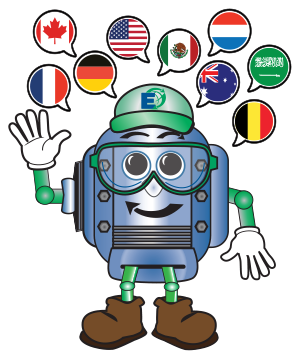 What makes Eddy different from other AI tools is its EASA-specific knowledge base. Eddy has been trained on EASA content, including technical resources that are not publicly available. Eddy’s answers are intended to be grounded in reliable EASA materials, and it provides sources so users can go directly to the manuals, articles, standards or other resources behind the response. That is especially valuable in sales and service work where accuracy, credibility and speed all matter.
Following is a good example when Eddy helped our team with an assist. A customer was asking about a 450 hp motor with a 50°F difference between the drive end and opposite drive end bearing resistance temperature detector (RTD) readings. Without a tool like Eddy, the salesperson would have needed to wait for our technical lead before giving the customer meaningful direction. Eddy quickly helped frame the issue: “The drive end bearing may normally run hotter, but a 50°F difference is higher than expected and should be investigated.” It also helped identify possible causes, such as “heat transfer from the driven equipment, cooling issues, lubrication problems, bearing loading, misalignment or faulty RTDs.” Then concluded with “Immediate inspection is recommended to prevent potential bearing or motor failure.” This led to a quick decision to get the motor in for evaluation and eliminated any lost time for our salesmen to validate with a tech on the exact temperature differential of concern.
For sales teams, that speed has real value in establishing and/or maintaining credibility with customers. Eddy helps by being able to navigate decades of EASA articles, whitepapers, training manuals and content that is exclusive to EASA members behind their login.
The key to success is using Eddy responsibly. Its terms make clear that responses are for educational use and are not guaranteed technical determinations, so sales teams should not present Eddy’s output as a final diagnosis or engineering approval. Used properly, Eddy helps salespeople respond faster, ask better questions, and supports customers with more confidence while keeping technical experts involved in the process.
|
Here's What Eddy Can Do for You
Eddy is EASA's AI assistant found in the bottom right corner of easa.com. Here are just a few of the things that Eddy can do for you.
- Answer technical questions
- Assist with technical troubleshooting for electric motors, generators and drives
- Provide guidance on EASA standards, best practices and repair procedures
- Access EASA Technical Manual content and resources
- Help locate content on easa.com
- Summarize EASA documents or articles
- Help write blog posts
- Review draft articles or posts you've written and provide suggestions for improvements as well as provide citations to EASA resources that support your article
- Create outlines for PowerPoint presentations, including suggested bullet points for slides and speaker's notes
- Create quizzes from EASA materials, documents or videos
- Create tables of information (e.g., compare the types of winding temperature detectors, including a brief description, pros, cons and relative cost)
Be sure to watch this short video at go.easa.com/video to learn more about what Eddy can do.
|
Related Reference and Training Materials
Print
